
For venues
Your tables, live on every player’s phone. Free.
List your hall and keep your table count up to date, and players across Singapore see it before they set off. It takes about fifteen minutes, needs no card, and stays free. When you want the queue, bookings and analytics, the plan is there, with the first 30 days free.
Sign-up to a full floor, on the real dashboard. The hall in the film is a demo hall.
Why halls use it
What changes on the floor.
Tables sit empty on a quiet weeknight while players across town do not know you have room.
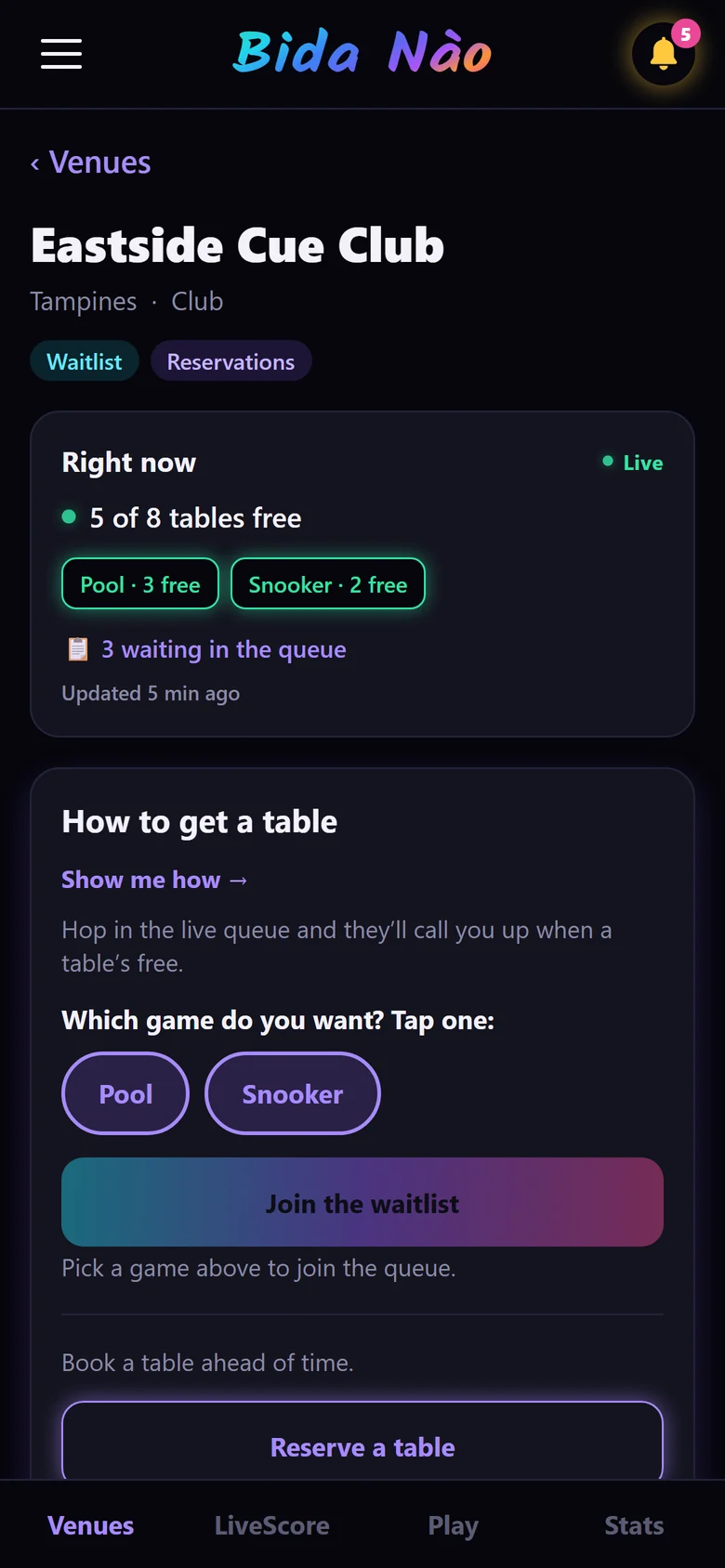
Your live count is on their phone before they leave home.
A queue kept on paper by the till, and a phone that rings while you are seating someone.
One list for app, web, phone and walk-in players, called in order with one tap.
A booking made by phone, a walk-in on the same table, and nobody sure who was first.
Bookings checked against your hours and tables, so the same table never goes twice.
A feeling that Fridays are busy, and no way to see what actually happened last week.
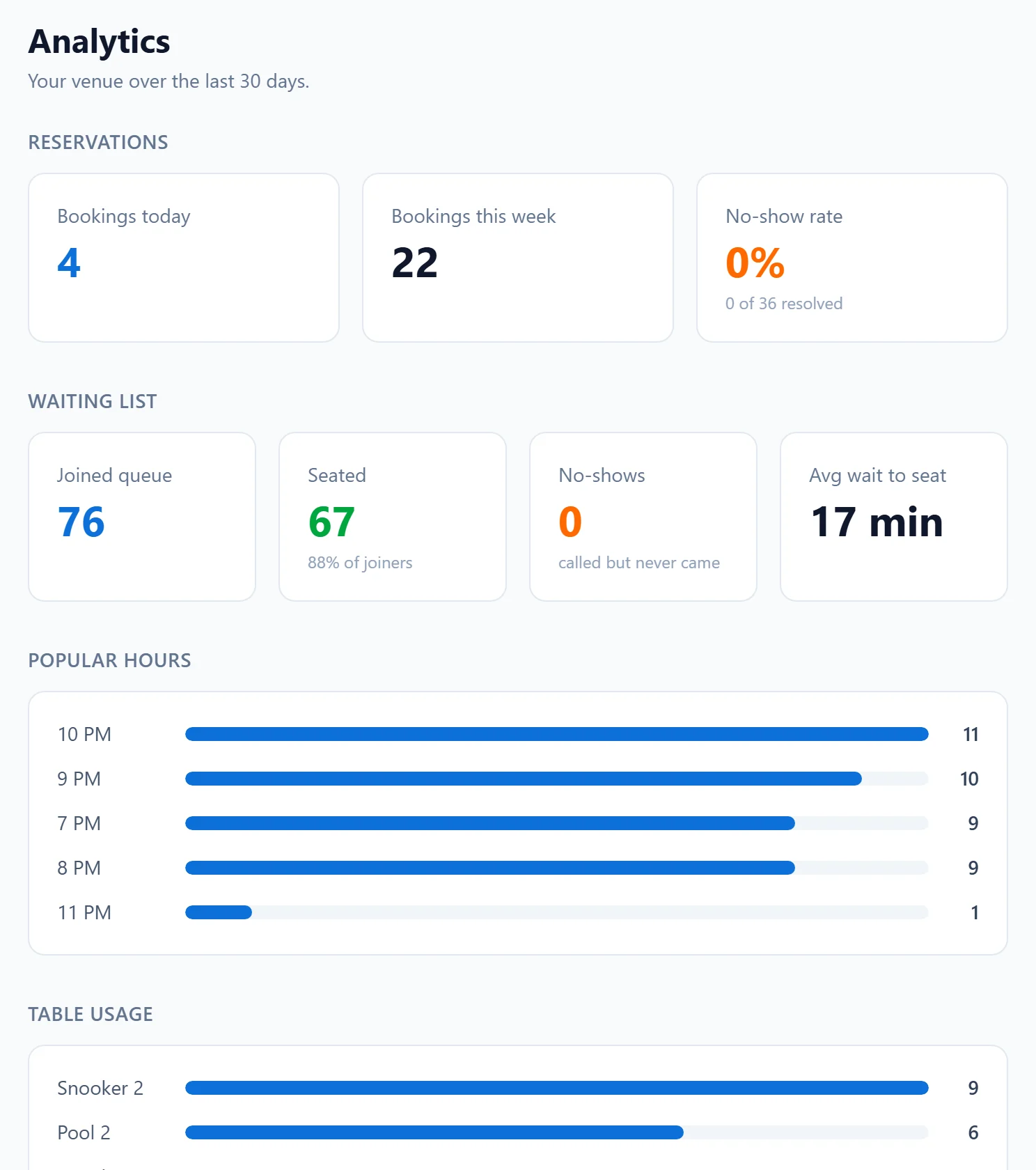
Busy hours, waiting times, no-shows and table use, on one screen.
What is free, and what is the plan
Start free. Add the plan when you want it.
Free, for good
Every hall, whether or not it takes the plan.
- Your hall’s page on bidanao.app, with hours, pricing note and photos
- Your live table count, in the app and on your page
- A place in the directory players search by game and area
- Your tables, hours and details, updated whenever you like
The plan
The tools that run the floor. The first 30 days are free, with no card.
- A live queue for app, web, phone and walk-in players
- Bookings with your own rules: hours, notice, approval and limits
- Online queue and booking links, with a QR card for the counter
- Your hall’s own leaderboard, per game
- Analytics: busy hours, waiting times, no-shows, table use
- Browser alerts for every player action
Set up yourself
About fifteen minutes, at the counter.
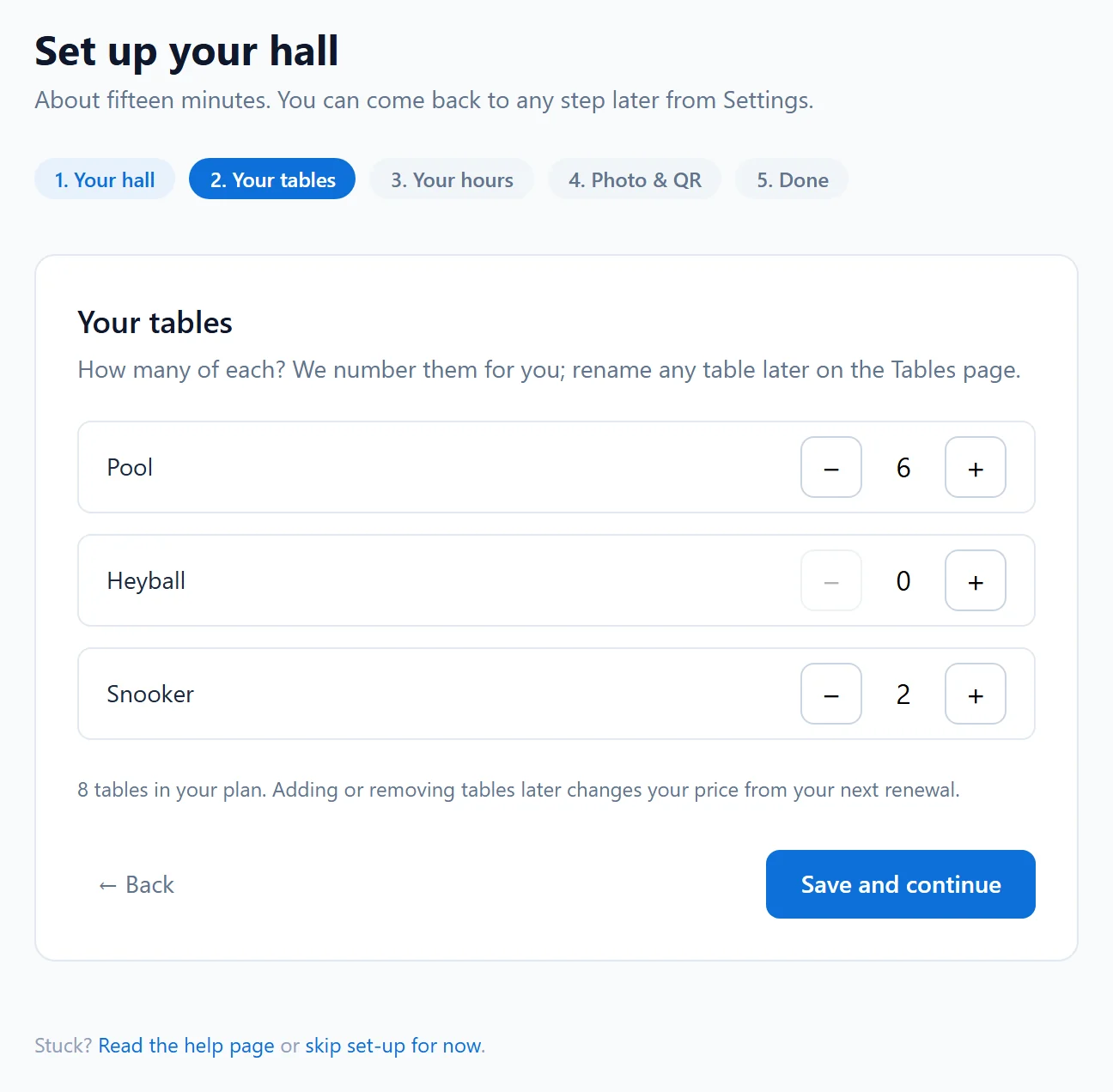
Sign up, and a short guided set-up opens: your hall, your tables, your hours and the QR card for your counter. You can change any of it later.
- 1Sign up: your name, your hall and a password · about 3 minutes
- 2Your tables: how many of each game · about 2 minutes
- 3Your opening hours, from a preset · about 3 minutes
- 4A photo, and the QR card for your counter · about 5 minutes
The dashboard
What you will use every night.
Free
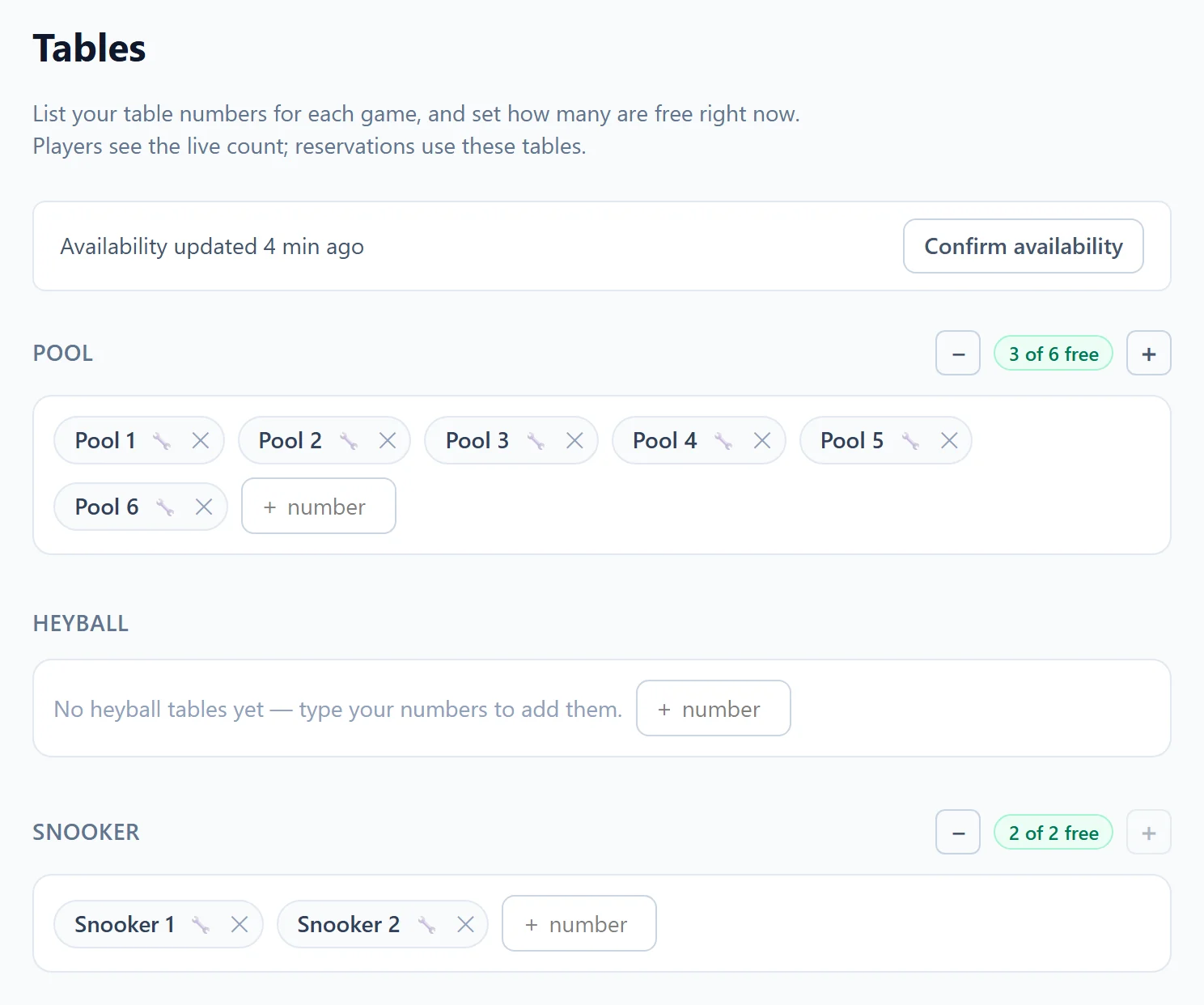
Say how many tables are free.
List your table numbers once. From then on, one tap updates how many are free right now, and players see the new count straight away.
The plan
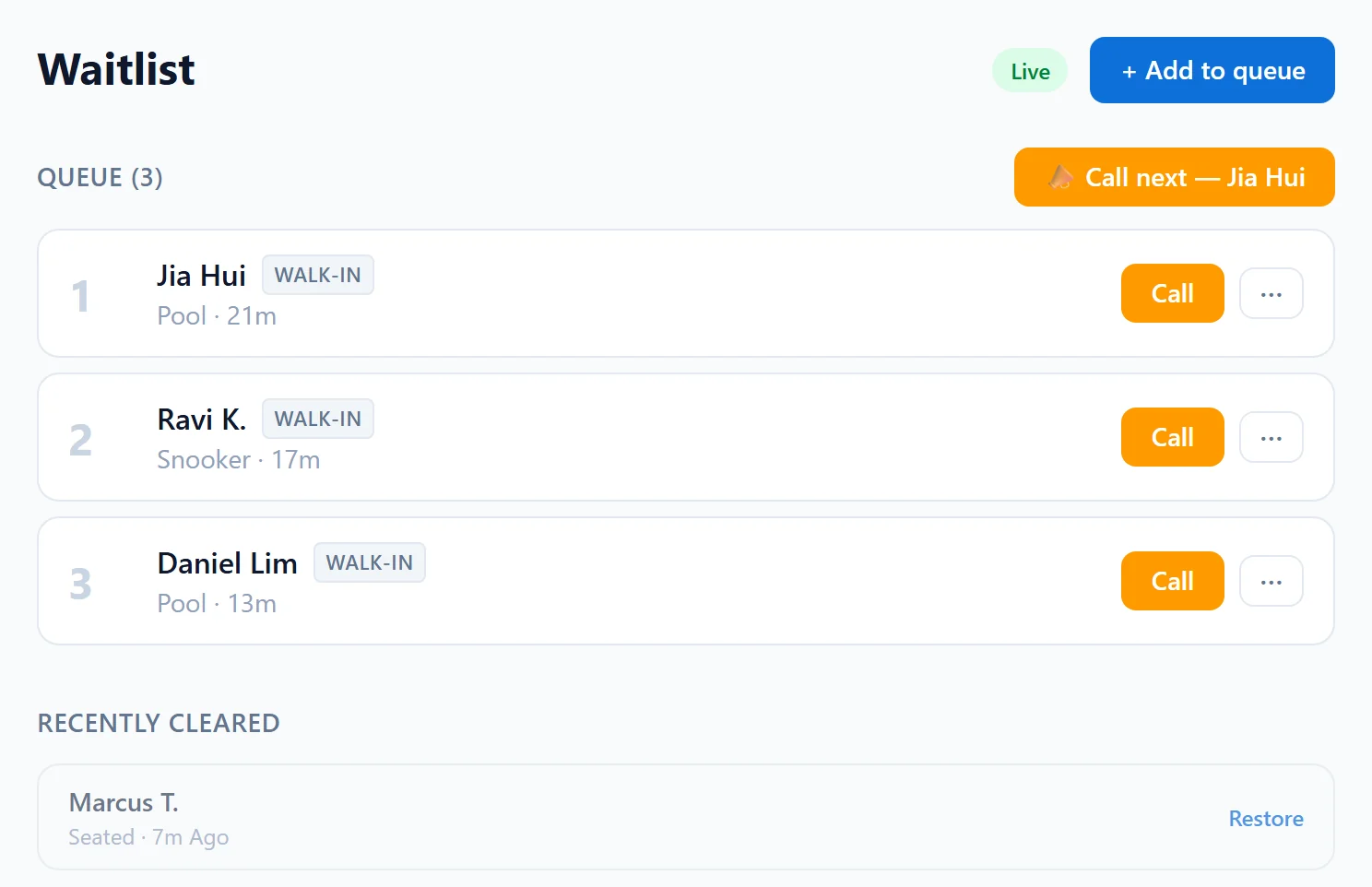
One queue, whoever is asking.
Players join from the app or a link without an account; you add phone and walk-in customers yourself. Call the next one, seat them, done. Nobody waits by the till.
The plan
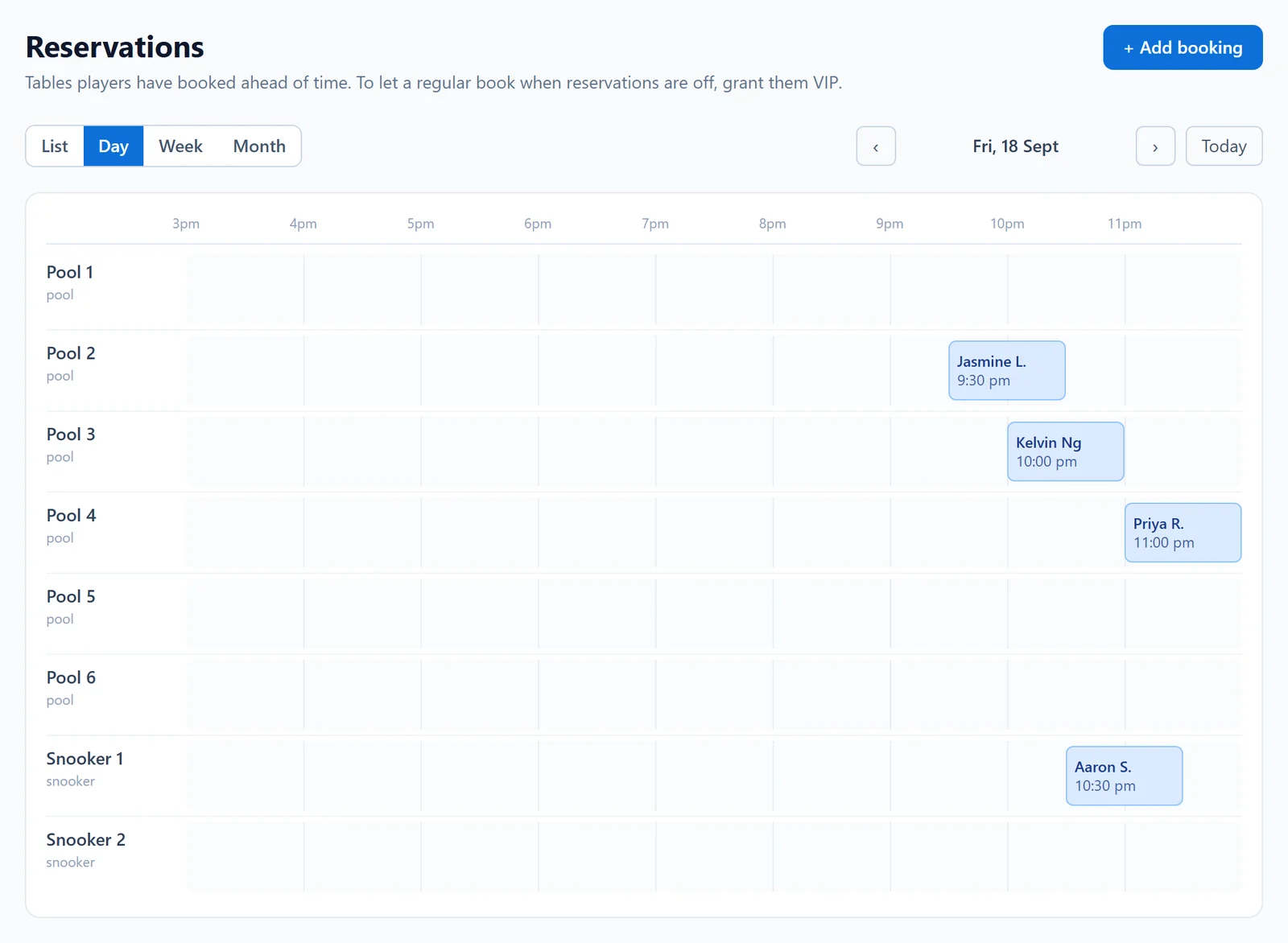
Bookings on your rules.
Choose how far ahead players can book, how much notice you need, whether you approve each booking and how many one player may hold. The dashboard enforces all of it.
The plan
See what is working.
Bookings, no-show rate, how long people wait, your busiest hours and which tables earn their keep, over the last thirty days.
What players see
A reason to choose your hall, and to come back.
Players open Bida Nào to find a table, and your live count tells them you have one. Once they are playing, they score their frames in the app and earn a rating that settles over real games. Games scored at your hall put them on your hall’s own leaderboard, so your regulars have a board to climb, at your hall.
Players sign up free. Read how the rating works or see the Singapore leaderboard.
Help when you need it
You are not on your own.
A guide for every screen
The venue guide walks through set-up and every part of the dashboard, in English and Chinese.
A ticket from your dashboard
Anything the guide does not answer, raise from Help in your dashboard. It reaches us with your hall’s details already attached, and the reply comes back to you there.
Tips inside the dashboard
A short checklist on your dashboard shows what is left to set up, and every setting explains itself where you change it.
The listing is free. The plan starts at S$8 a table a month, and each table costs less as you add more. 30 days free, no card, cancel any time.
See pricingQuestions halls ask.
Do my customers need the app?
No. Players with the app see your live count and can queue or book in it, and anyone can join your queue or book a table from a link or your QR card without an account. Phone and walk-in customers go on the same list.
Do I need new equipment?
No. The dashboard runs in the browser on the phone, tablet or laptop you already have at the counter.
What stays free if I never take the plan?
Your page, your listing in the directory and your live table count, for as long as you like. The queue, bookings, leaderboard and analytics are the plan.
When does my listing go public?
Your dashboard works the minute you sign up. Your public page and listing appear once we have had a quick look at your details, usually within one working day.
What happens after the free 30 days?
Nothing is charged unless you choose a plan. If you do not, the plan’s tools pause and your free listing carries on. You can start the plan at any time.
How do I pay?
By card, which renews automatically, or by PayNow, with a link each period. Receipts go to the email you choose. Cancel any time from your dashboard.
Put your tables on the map tonight.
About fifteen minutes. No card. Your listing stays free.